
Features
Everything you need to bill clients
No accounting suite. No payroll. Just the invoicing, billing and payment-tracking tools small businesses actually use to get paid, with a products & services catalog built in.
Invoices & quotes
Write it once, see it as your client will
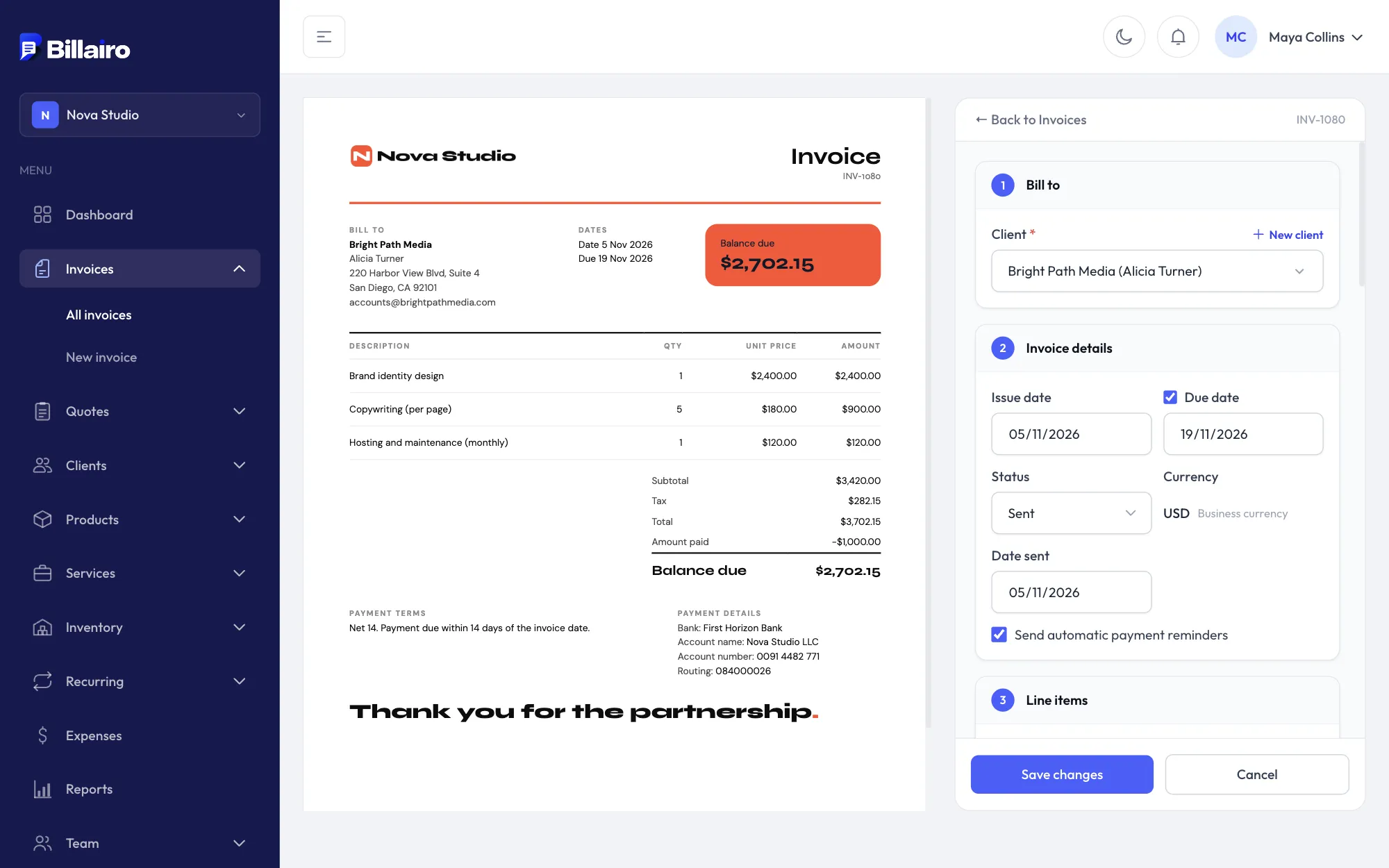
Fill in the client and the lines on the right and watch the invoice take shape on the left, in your chosen design. Quotes work the same way and turn into invoices in one click.
- Products, services and packages from your catalog
- Discounts, VAT by rate and part payments
- Send by email, share a link or let clients pay online
Designs
14 designs, and you can make any of them yours
Pick a design made for your kind of business, then change its colours, fonts, logo size and table style, and hide what you don't need. On Pro, design a template of your own with an AI tool.
- 35 fonts and any colour
- A4 and US Letter
- The PDF, the link and the preview always match

Dashboard & reports
Know what you're owed at a glance
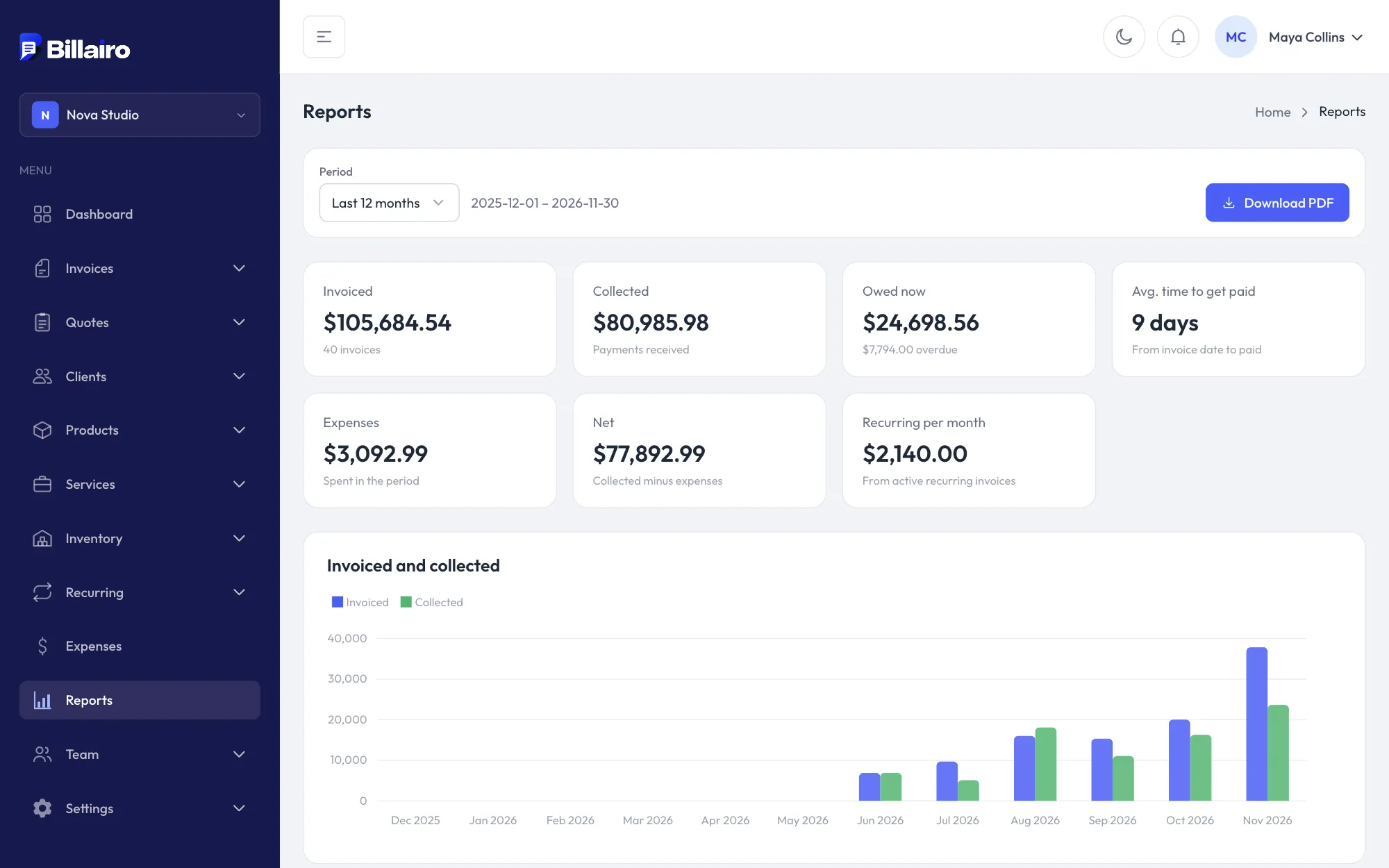
See what you've invoiced and been paid, what's still outstanding and who owes it, and how revenue grows month by month.
- Overdue invoices and reminders
- Revenue by client and by month
- Expenses and an estimate of profit
Client link
A clean page for your client, no account needed
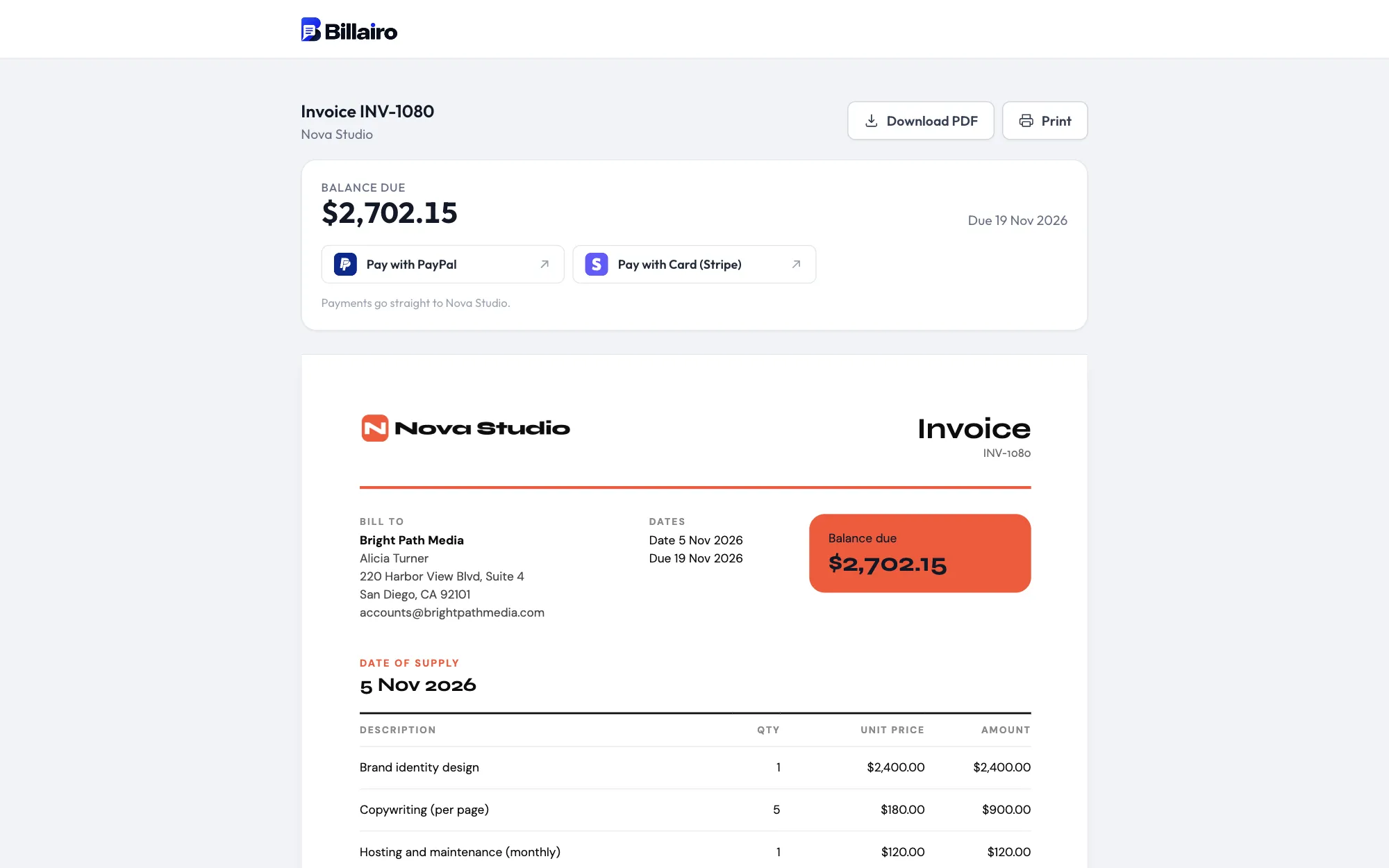
Every invoice and quote has its own private link. Your client sees it exactly as designed, and can download the PDF or print it. You can see when they've opened it.
- Download as PDF or print
- Your bank details on every invoice
- See when the client viewed it
Ready for European invoicing
Invoices that meet the rules, without the paperwork
Pick your country and Billairo sets up its VAT rates and the wording invoices need. Sent invoices stay final, corrections are made with credit notes, and on Pro every invoice can be downloaded as an e-invoice.
How to set up tax →- VAT by rate, shown per rate on every invoice
- Your VAT number, the client's, and reverse charge
- Date of supply and small-business exemption notes
- Credit notes instead of edited invoices
- E-invoices: ZUGFeRD / Factur-X PDF and XRechnung (Pro)
- SEPA bank-transfer QR codes on euro invoices
And everything else
Invoices
Create professional invoices with custom numbering, multiple currencies and decimal-safe calculations.
Quotes & estimates
Send quotes that convert to invoices in one click, keeping every line item, discount and tax amount intact.
Client management
A reusable client list with contact details, notes and per-client invoice history.
Payment tracking
Record full or partial payments by bank transfer, PayPal, Wise, Stripe or any other method.
Recurring billing
Automate invoices for retainers and subscriptions on a weekly, monthly, quarterly or yearly schedule.
Reminders
Configurable reminders before and after the due date, so late payments chase themselves.
Public invoice pages
Share a private link so clients can view, download and print an invoice without needing an account.
Invoice designs
14 designs made for different trades, with your own colours, fonts and logo.
Reports
See revenue, outstanding balances, overdue amounts and payment trends at a glance.
Teams & permissions
Invite your team as admins, members or viewers, fine-tune what each person can do, or limit them to their own clients.
Team activity log
See every change your team makes to invoices, quotes, clients, expenses and settings, filtered by person and date.
Point of sale
Ring up counter sales with barcode scanning, take cash or card, and print receipts. Every sale lands in your reports.
Inventory
Stock that goes down as you sell and back up on returns, with a full history and low-stock alerts.
Categories & packages
Organise your catalog into categories and sell packages of products and services at one price.
VAT and tax rates
A rate on each line, tax shown per rate, prices with or without tax, VAT numbers, reverse charge and the legal notes your country needs.
Credit notes
Sent invoices stay final. Correct one in full or in part with a numbered credit note, and your balances and reports follow.
E-invoices
Download any invoice as a ZUGFeRD / Factur-X PDF or XRechnung XML, ready for your clients' accounting software. On Pro.
Pay links and QR codes
Pay buttons for PayPal, Stripe, Revolut or Wise on the online invoice, and QR codes on the PDF, including a SEPA bank-transfer QR.
Deposits
Ask for part of a quote up front, split across its tax rates, and have it deducted on the final invoice automatically.
Ship-to and shipping
A second address on clients and invoices (ship to, service address, job site or venue) and a shipping charge with its own tax.
Late fees
A percentage or fixed late fee once an invoice is overdue, drafted on its own invoice for you to check and send.
Pro forma invoices
Turn any quote into a pro forma invoice PDF for clients who need one before paying in advance.
Multiple businesses
Run more than one business from one account, each with its own branding, numbering, clients and team.