
Billing software for small businesses
Send invoices and quotes, bill recurring clients automatically, chase late payments with reminders, and see what you're owed, in one simple app that fits the way your business works.
Free forever plan · No credit card required · 7-day trial on paid plans
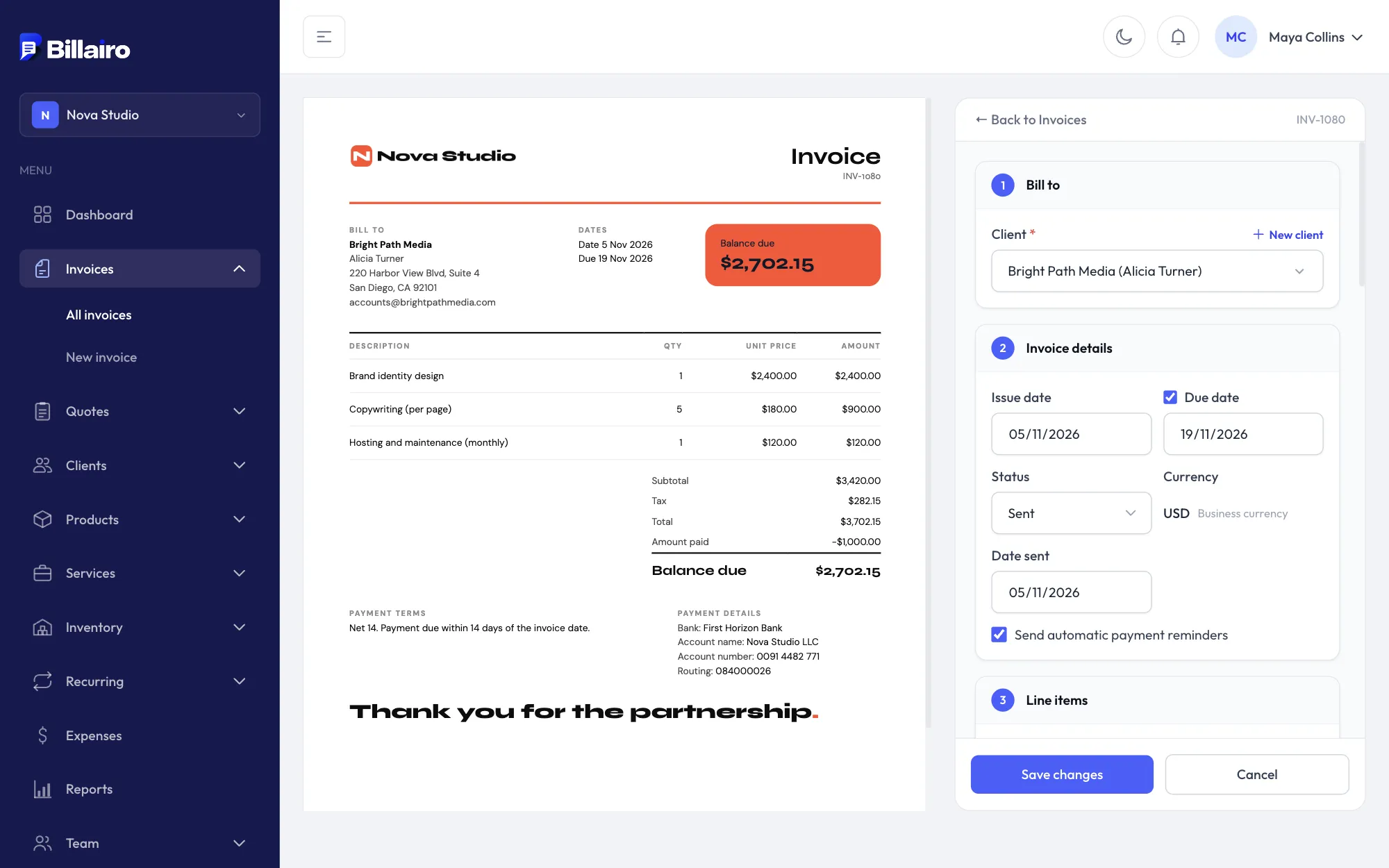
Billing or invoicing? You get both.
Invoicing software makes and sends invoices. Billing software looks after everything around them: bills that repeat, reminders when they're late, payments as they come in, and a clear picture of what you're owed.
Billairo does both, without the payroll and bookkeeping of a full accounting suite. Start with a single invoice, and switch on recurring billing, stock or a point of sale when you need them.
- Invoices, quotes and client links
- Recurring billing on any schedule
- Automatic payment reminders
- Full and partial payments, balances and aging
- Multi-currency and 6 languages
- Products, services, stock and point of sale
- Reports with CSV and PDF export
- VAT by rate, credit notes and deposits
- E-invoices (ZUGFeRD / XRechnung) on Pro
Features
Everything in one billing tool
Invoices and quotes
Professional invoices and quotes with a live preview, discounts and tax. Quotes turn into invoices in one click.
How it works →Recurring billing
Bill retainers, subscriptions and regular work automatically every week, month, quarter or year.
How it works →Automatic reminders
Polite reminders before and after the due date, so you don't have to chase late payments yourself.
How it works →Payments and balances
Record full or partial payments and always know what each client has paid and still owes.
How it works →Currencies and languages
Bill each client in their own currency and language, with your bank details on every invoice.
How it works →Products, services and stock
A catalog of what you sell, with units, categories, barcodes, bundles and stock that updates as you sell.
How it works →Point of sale
Ring up counter sales with barcode scanning and print receipts. Every sale lands in your reports.
How it works →VAT, credit notes and e-invoices
Tax by rate with the legal notes your country needs, credit notes for corrections, and ZUGFeRD / XRechnung e-invoices on Pro.
How it works →Online payments
Pay links for PayPal, Stripe, Revolut or Wise and QR codes on your invoices. The money goes straight to you.
How it works →Reports you can export
Sales, payments, tax, what's owed and stock value for any period, as CSV or PDF.
How it works →Teams and several businesses
Invite your team with roles and an activity log, and run more than one business from one account.
How it works →From first invoice to paid, in four steps
-
1
Tell us what you do
Pick your kind of business. Billairo sets up the right units, categories and invoice fields for it.
-
2
Add clients and what you sell
Save clients and your products or services once, or import them from a spreadsheet.
-
3
Bill your way
Send invoices and quotes, set up recurring billing, or ring up sales at the counter.
-
4
Get paid and see where you stand
Reminders chase what's late, payments are recorded against each invoice, and reports show the rest.
Billing software that fits your business
Freelancers, agencies, shops, trades, consultants, rentals, tutors, wellness, property, events and transport: Billairo uses your words, units and invoice fields.
Billing software questions
What is billing software? +
Billing software handles the whole cycle of getting paid: invoices and quotes, recurring bills for retainers and subscriptions, payment reminders, and a record of what each client has paid and still owes. Billairo does all of that in one place, without the bookkeeping modules of a full accounting suite.
Is billing software the same as invoicing software? +
They overlap. Invoicing software makes and sends invoices; billing software also covers what happens around them: recurring billing, reminders, payments and reports. Billairo is both, so you can start with one-off invoices and add recurring billing, stock or a point of sale when you need them.
Is Billairo free? +
Yes. The Free plan is free forever and needs no credit card: one business, up to 5 clients and 10 invoices a month. Paid plans add recurring billing, reminders, more clients, reports, stock and teams, and start with a 7-day free trial.
Can Billairo bill clients automatically every month? +
Yes. Recurring invoices go out weekly, monthly, quarterly, yearly or every few days, on their own or as drafts for you to check first, and automatic reminders follow up on anything unpaid.
Does Billairo take card payments? +
Billairo doesn't process payments itself. Your bank details and payment instructions are on every invoice and its client link, and you record each payment, in full or in part, by bank transfer, card, cash, PayPal, Wise or any other method.
Can I bill in other currencies and languages? +
Yes. Each client can have their own currency and language, and their invoices, quotes and reminder emails follow it. Billairo is in English, German, French, Spanish, Italian and Dutch.
Is my data safe if I stop paying? +
Nothing is deleted when you change or cancel your plan. Your clients, invoices and history stay in your account, and you can export clients and items as CSV and reports as PDF at any time.