
Change or cancel your plan
Upgrade, downgrade or cancel, see your usage and billing history, and choose which businesses stay active.
Updated 12 November 2026 · View as Markdown
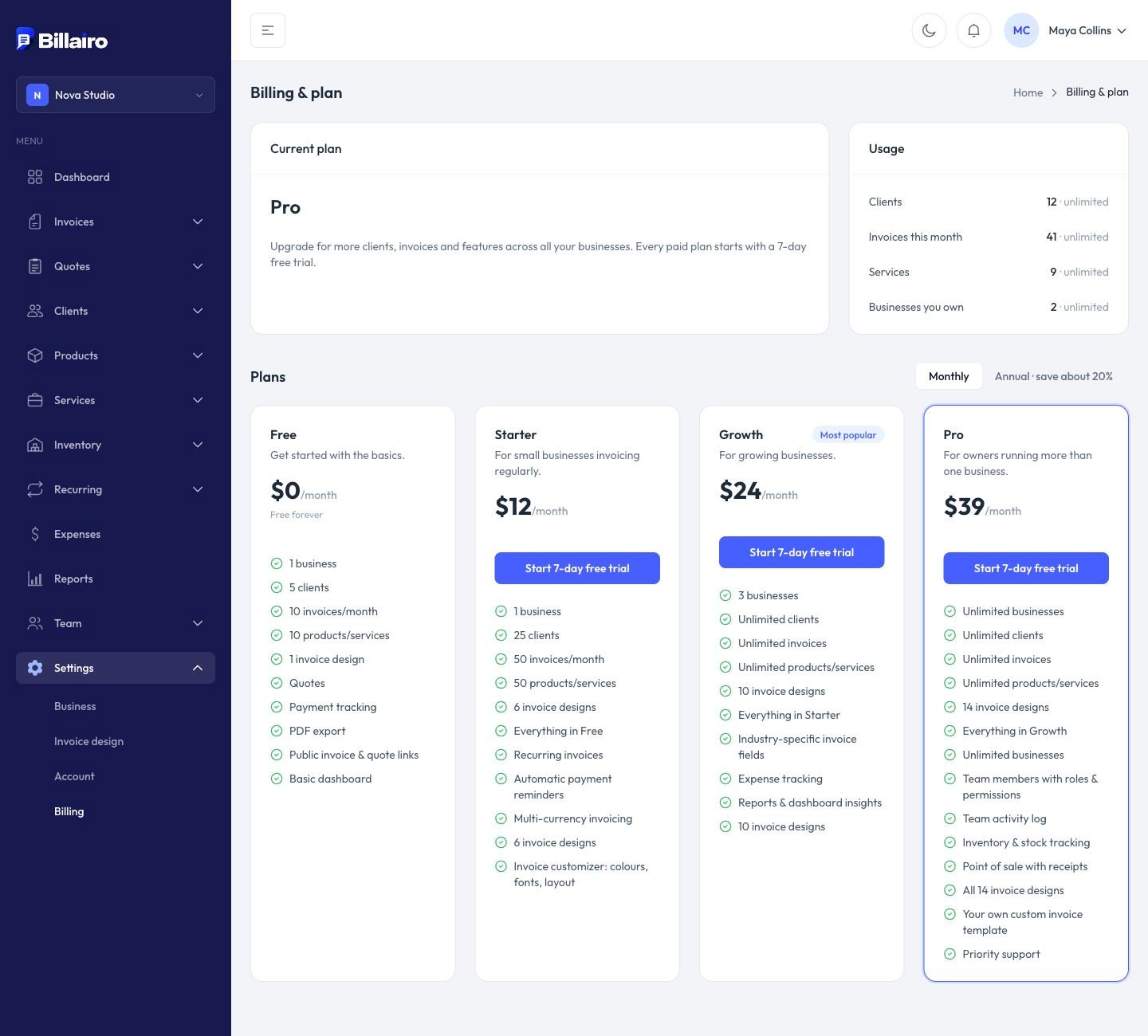
Open Settings → Billing.
Plans
| Free | Starter | Growth | Pro | |
|---|---|---|---|---|
| Businesses | 1 | 1 | 3 | Unlimited |
| Clients | 5 | 25 | Unlimited | Unlimited |
| Invoices per month | 10 | 50 | Unlimited | Unlimited |
| Recurring, reminders, multi-currency | ✓ | ✓ | ✓ | |
| Expenses, reports | ✓ | ✓ | ||
| Team, stock, point of sale, purchasing | ✓ |
See current prices. Paying yearly saves about 20%.
Upgrade or switch
Click Switch to on a plan. Paid plans start with a 7-day free trial. When you switch between paid plans, any price difference is charged or credited right away.
Downgrade or cancel
Click Cancel subscription. You keep your plan until the end of the period you've paid for, then move to Free. Nothing is deleted.
If you have more businesses than your new plan allows, choose which stay active under Active businesses. The others are paused: read-only until you upgrade or switch them back.
Invoices for your subscription
Billing history lists every payment with a PDF invoice.