
Track stock levels
Keep stock counts up to date automatically from sales and deliveries, with low-stock alerts and stock value.
Updated 12 November 2026 · View as Markdown
Stock tracking is part of the Pro plan; switch on Stock tracking in Settings → Features.
Track a product
- Edit the product and open Stock, serials & warranty.
- Tick Track stock, and enter the opening stock.
- Set Low-stock alert at to get a notification when stock drops to that level.
From then on:
- stock goes down when an invoice with the product is sent or paid, or sold at the point of sale;
- it goes back up if that invoice is deleted or returned to draft;
- it goes up when a purchase order is received.
Stock levels
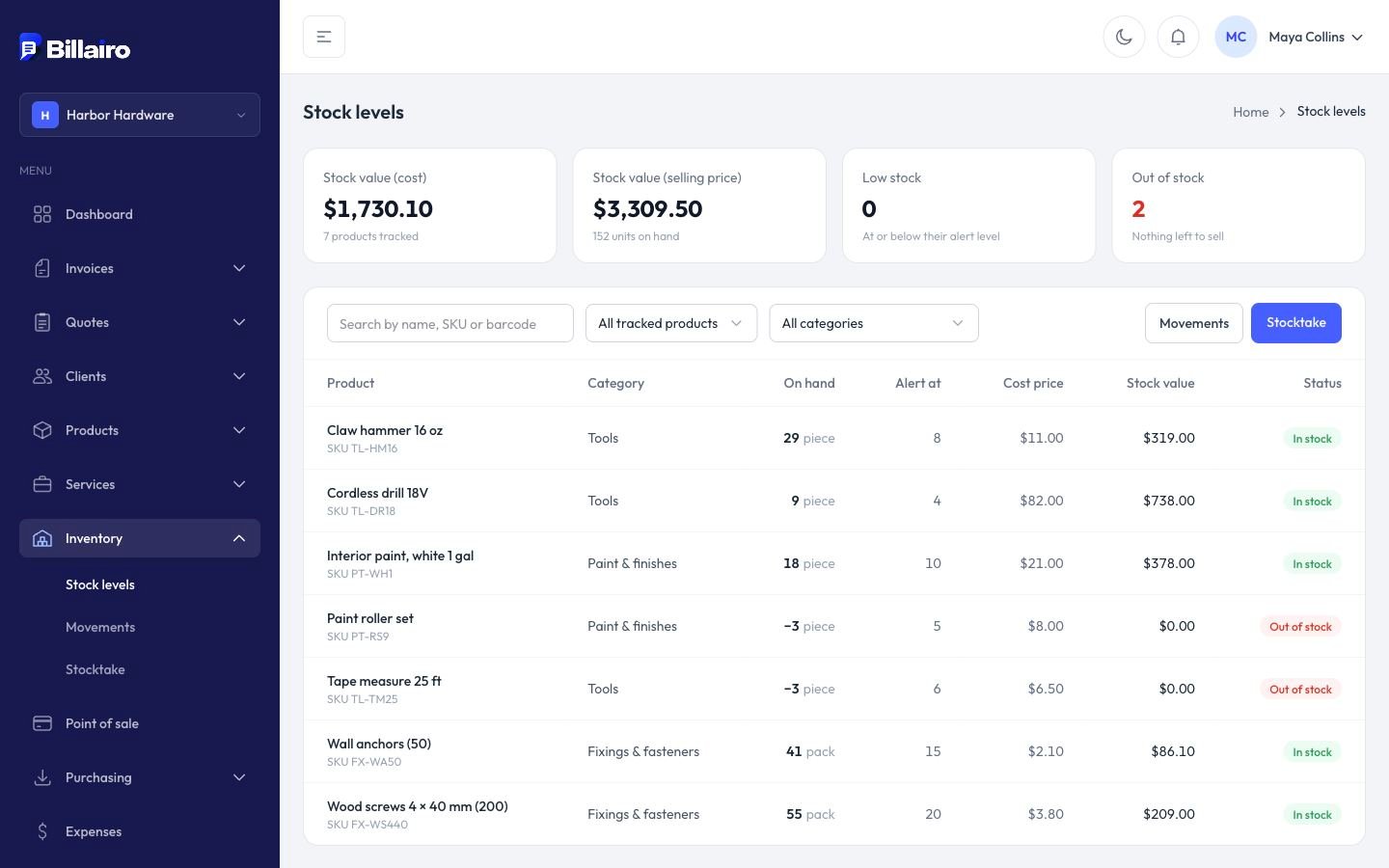
Inventory → Stock levels lists every tracked product with what's on hand, its alert level, cost price and stock value, with totals at the top: stock value at cost and at selling price, and how many products are low or out of stock.
Serial numbers and warranty
Tick Ask for a serial number to record one on each sale, and set Warranty (months): invoices then show Warranty until from the sale date.