
Automatic payment reminders
Let Billairo email clients before and after an invoice is due, and turn reminders off for one invoice.
Updated 13 November 2026 · View as Markdown
Reminders are on Starter and above.
Switch reminders on
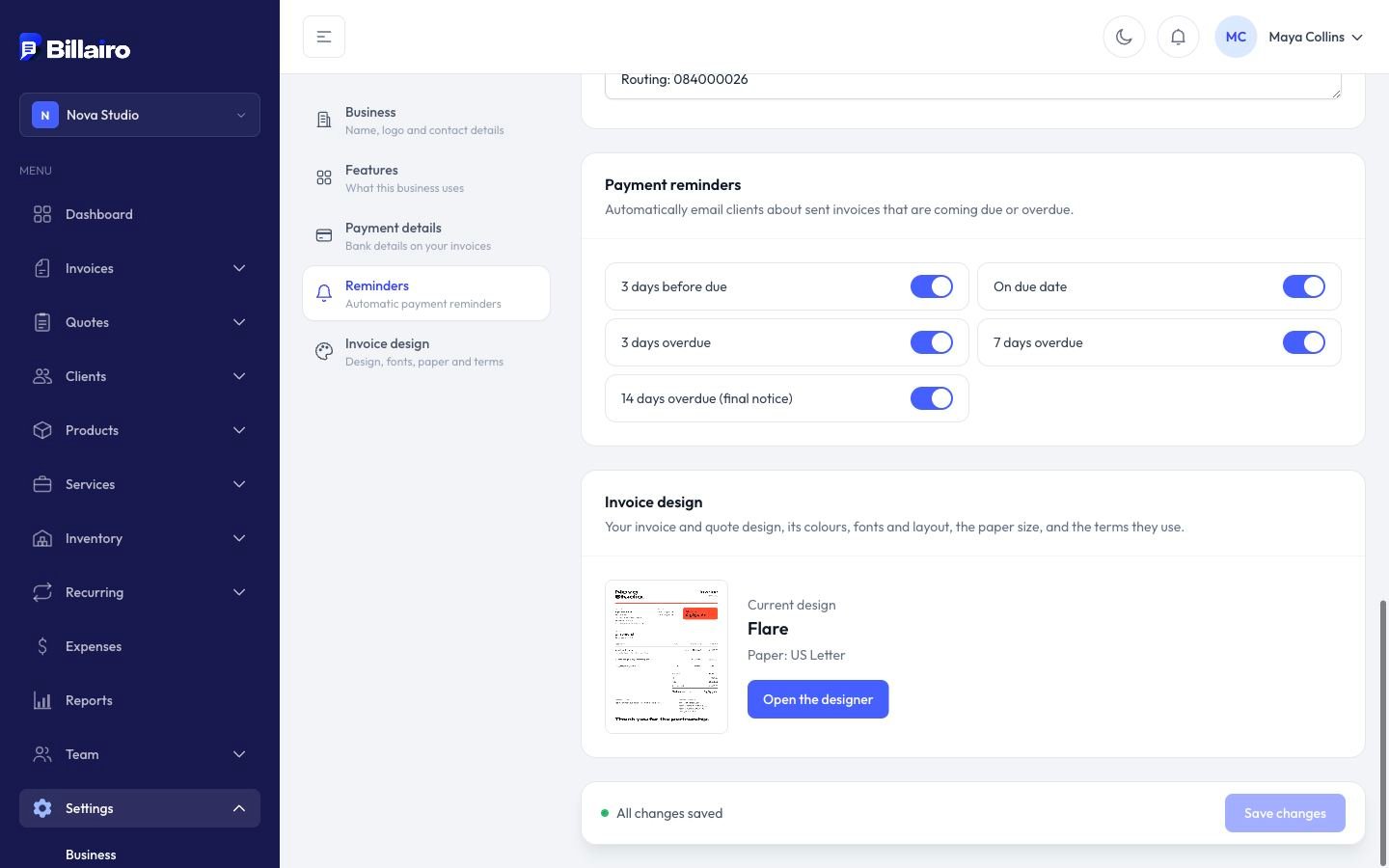
Open Settings → Business → Reminders and switch on Payment reminders. From then on, Billairo emails clients about sent invoices that are unpaid:
| When | Reminder |
|---|---|
| 3 days before the due date | Coming due |
| On the due date | Due today |
| 3 days after | Overdue |
| 7 days after | Overdue |
| 14 days after | Final reminder |
Each email links to the invoice so the client can pay straight away. Reminders stop once the invoice is paid, and they're only sent for invoices with a due date.
Turn them off for one invoice
On the invoice form, untick Send automatic payment reminders. The invoice page shows whether reminders are on.
Late fees
Under Settings → Reminders, choose a late fee: a percentage of what's owed or a fixed amount, after a number of days overdue. When an invoice reaches it, the fee is put on a separate draft invoice for you to check and send. The overdue invoice itself isn't changed.
If a client unsubscribes
Every reminder has an unsubscribe link. A client who uses it gets no more reminders; you can still send their invoices yourself.