
Set up tax and VAT
Choose your country, add your VAT number and rates, and get the tax rows and legal notes your invoices need.
Updated 13 November 2026 · View as Markdown
Choose how you charge tax
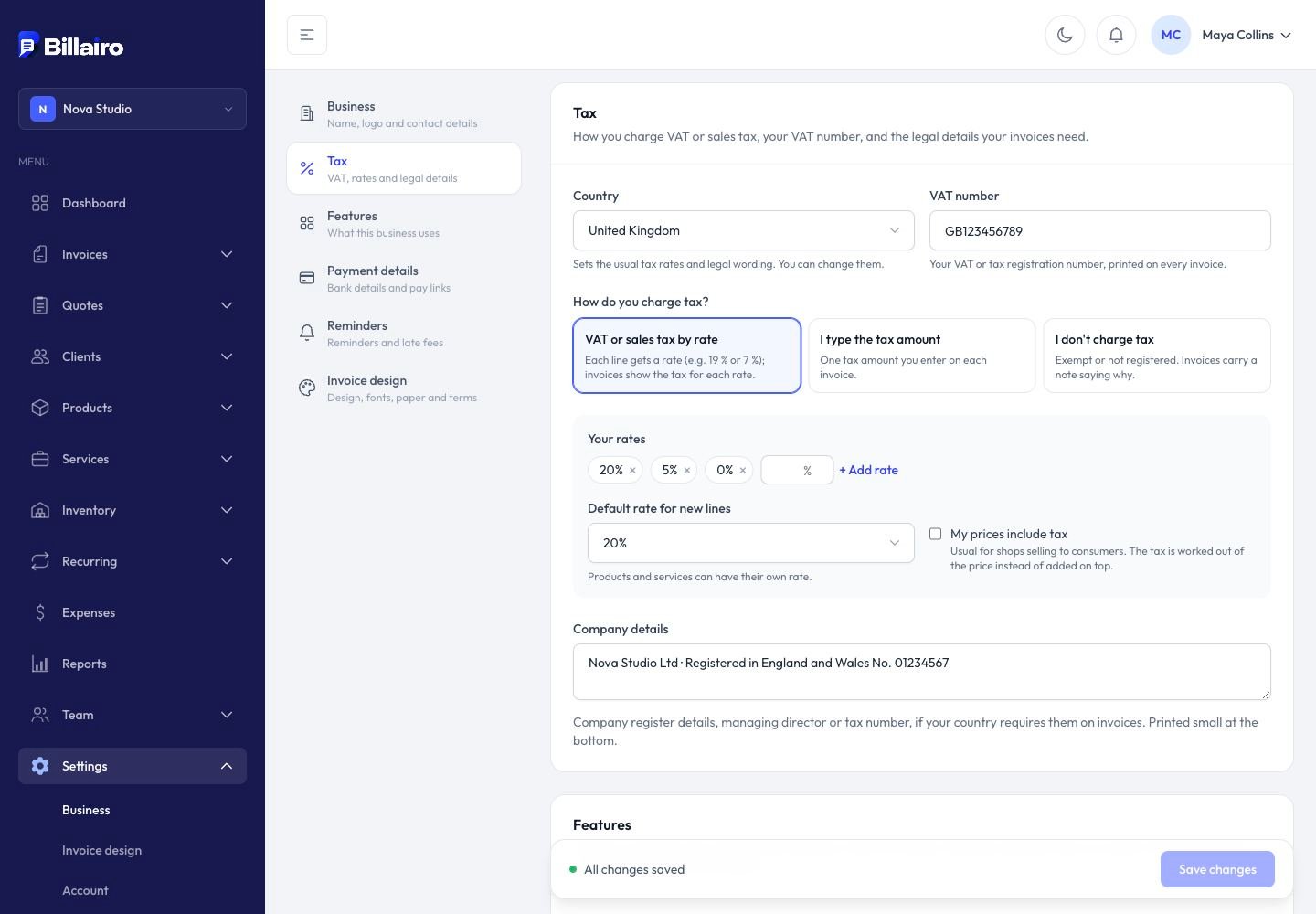
Go to Settings → Tax and pick your country. Billairo fills in that country's usual VAT rates and legal wording; you can change them.
Then choose how you charge tax:
- VAT or sales tax by rate: each line on an invoice gets a rate (for example 19 % or 7 %), and the invoice shows the tax for each rate.
- I type the tax amount: one tax amount you enter on each invoice.
- I don't charge tax: for businesses that are exempt or not registered. Invoices carry a note saying why, such as the small-business exemption in Germany (§ 19 UStG) or France (article 293 B). Leave the note empty to use your country's standard wording, written in each invoice's language.
Rates
With tax by rate, add your rates and pick the default rate for new lines. A product or service can have its own rate (set it on the product), and you can change the rate on any line of an invoice.
Tick My prices include tax if your prices are gross, as is usual in shops: the tax is then worked out of the price instead of added on top.
Your VAT number and company details
Add your VAT number: it's printed on every invoice. Under Company details, add anything else your country requires on invoices, such as the company register number or the managing director. It's printed small at the bottom.
Clients in other countries
On a client, add their VAT number and choose Tax on their invoices:
- Reverse charge for a business customer in another EU country: no VAT is charged and the invoice says the customer accounts for it.
- No VAT (outside scope / export) for exports and services supplied abroad.
New invoices for that client start with that choice; you can change it on each invoice.
Date of supply
Invoices show the date of supply, which many countries require. It's the invoice date unless you set another date, or a service period (for example a month of work), under Invoice details.