
Create e-invoices (ZUGFeRD and XRechnung)
Download an invoice as a ZUGFeRD / Factur-X PDF or as XRechnung XML, for clients whose software reads invoices automatically.
Updated 13 November 2026 · View as Markdown
What an e-invoice is
An e-invoice carries the invoice's details as data that accounting software reads by itself, so nobody types them in. Germany and France are making e-invoices compulsory between businesses over the next few years.
Billairo makes two kinds, on the Pro plan:
- ZUGFeRD / Factur-X PDF: looks like your normal invoice PDF, with the data inside it. This suits most business clients.
- XRechnung (XML): the data only, as German public bodies require.
Download one
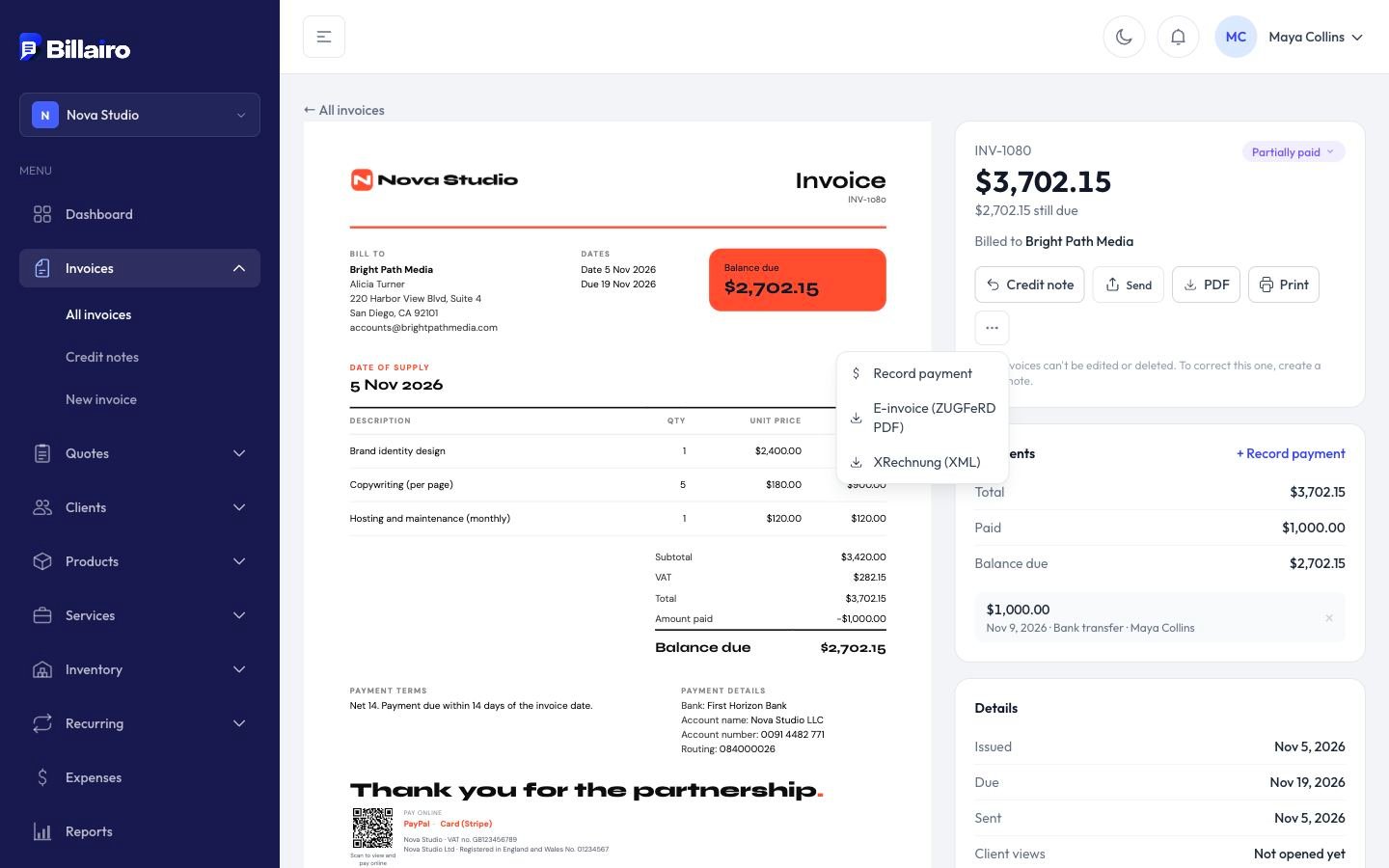
- Open a sent invoice.
- Open the ⋯ menu.
- Choose E-invoice (ZUGFeRD PDF) or XRechnung (XML).
What's needed
- In Settings → Tax: your country, your VAT number, and tax by rate (or no tax). An invoice with a typed-in tax amount can't be an e-invoice.
- Your business address and the client's address with the postcode and town on their own line (for example
10115 Berlin). - The client's country, set on the client.
If something is missing, Billairo says what when you download.
Billairo doesn't send e-invoices through Italy's, Spain's or Portugal's government systems.